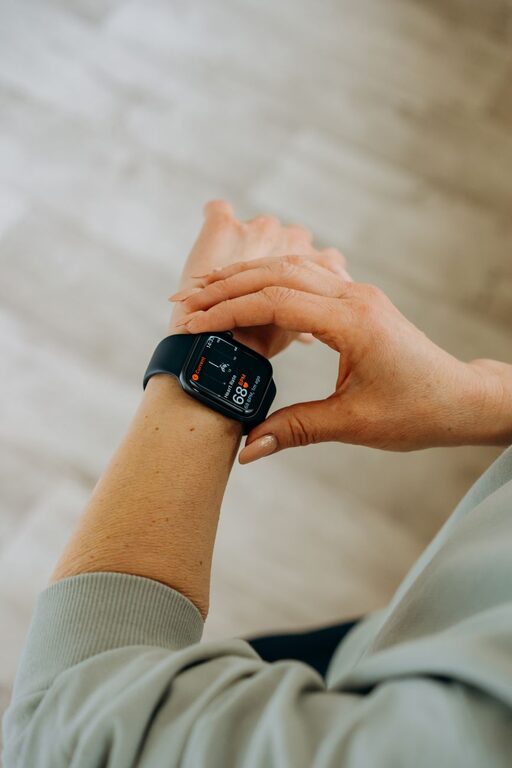
A smartwatch can make daily movement easier to notice and understand. Instead of relying on memory, you can use its sensors and apps to track steps, walking distance, active minutes, standing time, and selected workouts.
The goal is not to watch every number constantly. A smartwatch works best as a simple feedback tool. It can show your usual patterns, remind you to move, and help you create realistic activity habits.
Start With the Right Settings
Before tracking your movement, take a few minutes to set up the watch correctly. Accurate settings improve the quality of the information you receive.
Enter Your Basic Information
Many smartwatch apps use details such as your age, height, weight, and preferred units to estimate distance, calories, and other measurements. Open the companion app on your phone and review these details.
You may also need to select:
– Your dominant wrist
– Your daily step goal
– Your preferred distance units
– Your usual walking or running pace
– Notification preferences
– Your regular sleep and activity schedule
Keep these settings current when needed. For example, wearing the watch on a different wrist without updating the setting may affect some measurements.
Wear the Watch Consistently
Wear the smartwatch securely but comfortably on the wrist you selected during setup. It should not be so loose that it moves around during normal activity. At the same time, it should not feel tight or distracting.
For the most useful daily overview, wear it during the parts of the day you want to compare. If you remove it for long periods, your totals may not represent your full day.
Understand What Your Watch Measures
Smartwatches use motion sensors, location services, and other features to estimate movement. Each measurement has a slightly different purpose.
Steps
Step counts provide a simple way to view walking activity. Your watch identifies repeated arm or body movements and estimates the number of steps taken.
Step counts can be useful for comparing your own days, especially when you use the same device in a similar way. However, they are estimates. Pushing a shopping cart, carrying something, or moving your arm without walking may affect the total.
Distance
Distance is often estimated from steps, stride length, and location data. Outdoor walks may be measured more accurately when GPS is active. Indoor movement may rely more heavily on step estimates.
Use distance to understand broad patterns rather than treating it as a precise measurement. For example, it can help you compare a short walk with a longer one or see how much you move during a typical weekend.
Active Minutes
Active minutes represent periods when your movement reaches a level recognized by the watch as activity. Different brands use different terms and calculations.
This measurement can help you notice whether your day includes movement beyond short trips around the home or office. It is often more useful to review as a weekly pattern than to focus on a single day.
Stand or Move Reminders
Many watches can remind you to stand, stretch, or move after a period of inactivity. These alerts are especially helpful if you spend long periods at a desk.
Treat reminders as prompts rather than requirements. You can respond by walking to another room, filling a water bottle, stretching briefly, or taking a few minutes away from your screen.
Calories
Calorie estimates are based on several inputs and can vary between devices. They are best viewed as general information, not an exact measurement.
If calorie numbers are distracting or unhelpful, you can hide them from the main watch face and focus on steps, active time, or completed movement sessions instead.
Set a Practical Daily Goal
A goal gives your movement tracking a clear purpose. Start with a target that fits your current routine rather than choosing a number simply because it is popular.
Review your usual activity for several days. If your typical total is around 4,000 steps, setting a goal of 4,500 or 5,000 may be more practical than immediately choosing a much higher number.
You can set goals for:
– Total steps
– Walking distance
– Active minutes
– Number of movement breaks
– Workout sessions
– Hours with limited inactivity
A flexible goal can work better than a strict daily target. For example, you might aim for a weekly average or set different expectations for workdays and weekends.
Use Movement Prompts During the Day
A smartwatch can help you turn small opportunities into regular movement. Look for natural points in your schedule when you can add a few minutes of activity.
Try these ideas:
– Walk during a phone call
– Take the stairs when convenient
– Park farther from an entrance
– Walk around while waiting for food or a meeting
– Take a short break between tasks
– Do household chores without rushing
– Walk part of the way to a nearby destination
Small periods of movement can add up. You do not need to complete all activity in one long session for it to count toward your daily pattern.
Track a Walk or Workout Manually
For a planned walk, hike, or other activity, start a workout mode on the watch. This may record elapsed time, distance, pace, route, and heart rate, depending on the model and selected activity.
Before starting, check that:
- The correct activity type is selected.
- Location services are available if you want a route map.
- The watch has enough battery for the session.
- The band is secure and comfortable.
- You know how to pause and end the workout.
Manual tracking can provide more detail than automatic daily totals. It also makes it easier to compare similar activities over time.
Review Your Data Regularly
Daily movement data becomes more useful when you review it for patterns. Open the companion app once or twice a week and look at the larger picture.
Consider questions such as:
– Which days are usually the most active?
– When do you spend the longest periods sitting?
– Do you move less on certain workdays?
– Which activities are easy to repeat?
– Are your goals realistic for your schedule?
– Do reminders help or become easy to ignore?
Avoid judging a single low-activity day too harshly. Travel, weather, work demands, and other normal changes can affect your routine. Look for trends across several days or weeks.
Improve Accuracy and Battery Life
A few simple habits can help your smartwatch work more reliably.
Keep the watch software and companion app updated. Clean the sensors and the back of the watch according to the manufacturer’s instructions. Check that location permissions, motion access, and notifications are enabled for the features you use.
GPS tracking can use more battery than basic step counting. If battery life is limited, reserve GPS for outdoor walks where route or distance information matters most. You can also reduce unnecessary notifications and adjust screen settings.
Remember that no smartwatch records every movement perfectly. Use the information as a guide for comparing your own habits, not as a complete record of everything you do.
Make Tracking Simple and Sustainable
The best tracking routine is one you can maintain. Choose a few measurements that genuinely help you, such as steps and active minutes, and avoid filling your screen with data you do not use.
Set reminders at times that match your schedule. Celebrate consistent habits rather than chasing a perfect number every day. If a goal stops feeling useful, adjust it.
A smartwatch cannot replace your own judgment, but it can make everyday movement easier to see. With practical goals, regular reviews, and small changes throughout the day, your watch can become a helpful tool for building a more active daily routine.
About the Author